


Headless commerce has become a buzzword. But do not discard it just because it’s a trend, there’s a real reason for it.
If you have an Adobe-based store and want to leverage the benefits of headless commerce, this article is for you. Customers expect seamless, personalized, and technologically advanced shopping experiences across all touchpoints, and adopting a modern commerce architecture is essential to meet these expectations and stay competitive. Discover the advantages of headless online stores, the main strategies for making Adobe headless, and how to prepare for the transformation.
Adobe Commerce overview
Adobe Commerce is a powerful ecommerce platform designed to help businesses build, manage, and grow their online stores with confidence. Leveraging a headless architecture, Adobe Commerce gives developers the flexibility to use their preferred frontend frameworks, such as React or Vue, to create a fully customized and responsive headless storefront. This approach not only enhances the customer experience but also allows for greater control over the look and feel of your store.
Beyond its flexible architecture, Adobe Commerce offers a comprehensive suite of features to support every aspect of your online business. From managing extensive product catalogs and streamlining inventory management to handling order processing and deploying advanced marketing tools, the platform equips businesses with everything needed for success. Integration with Adobe Experience Manager further enhances content management capabilities, enabling seamless collaboration between marketing and development teams. With a wide range of extensions and integrations, Adobe Commerce empowers businesses to create a unique, high-performing online store that adapts to changing customer expectations and market trends.
What is headless commerce?
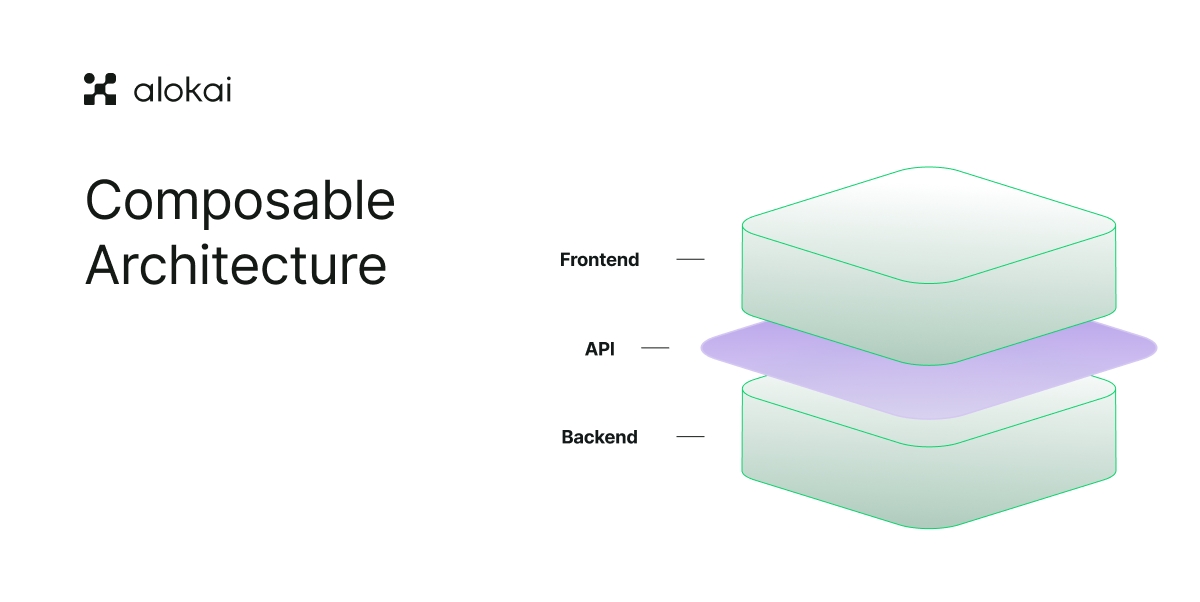
First, let’s review the basics. Headless architecture, sometimes also referred to as composable architecture, is based on decoupling the backend and frontend. The two layers communicate through APIs and remain independent. Headless commerce separates the customer-facing frontend from the backend, allowing for independent development and greater flexibility. This approach is an alternative to a monolith application, an architecture type where all the elements are tightly connected.
When going headless, ecommerce businesses gain flexibility that monoliths lack. The switch also results in shorter time-to-market for new features and greater freedom in the presentation layers. The customer-facing frontend can be customized independently to enhance the customer experience. With multiple touchpoints in the customer journey, the flexibility headless commerce offers to keep up with customer demands directly impacts revenue.
Why consider going headless with Adobe Commerce?
Many established names in the ecommerce space, including Adobe Commerce, operate as monoliths. These are examples of traditional setups, where the frontend and backend are tightly integrated, also known as 'headed' architecture. Making Adobe headless would require additional effort and consideration.
What’s so bad about monolith architecture in an ecommerce store anyway?
Monolith stores work slower on mobile
Back when commerce was mostly done through desktops, monolith architecture was just an objective reality. Now, a mobile-first approach is the foundation, from Google ranking mobile-optimized websites higher to Gen Z buying things on social media.
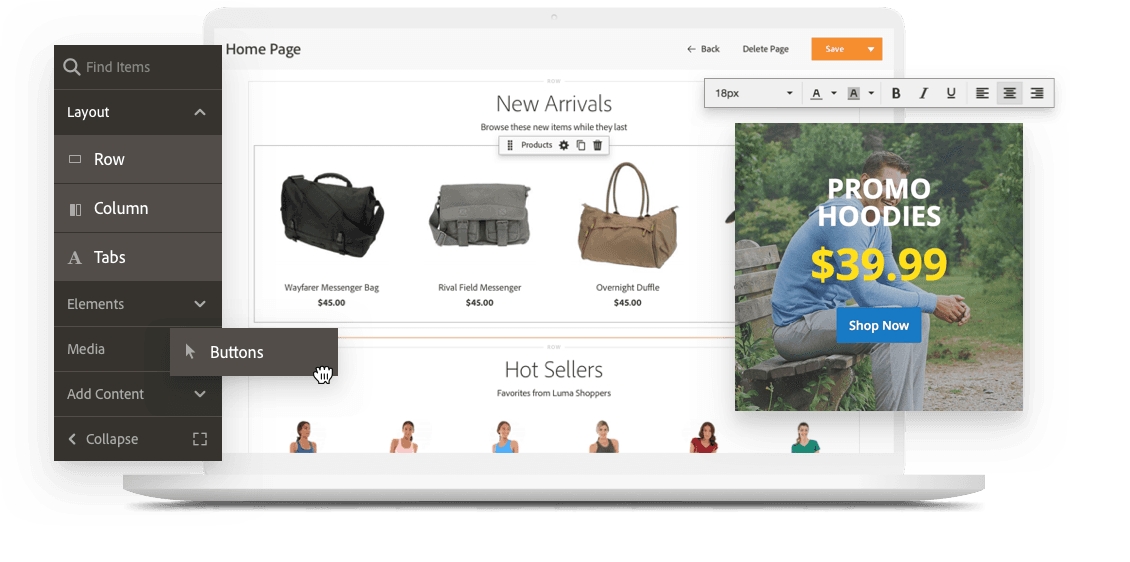
In monolithic Adobe, your frontend is always generated on the backend. Every time a user jumps from page to page, a new request for an HTML file goes back and forth between two layers. This significantly slows your website down. While traditional setups can be optimized for speed, as online stores grow in complexity, maintaining fast load times becomes more challenging. Using headless commerce with Adobe Commerce can improve performance and reduce load times for online stores.
UX/UI design is falling behind
There are two major issues with monoliths when it comes to UX and UI:
- It takes lots of resources to implement any changes, be it an extra button or a block
- Most monolith platforms can't generate several mobile interfaces for various devices
This results in a very efficient desktop version and moderately efficient version on a particular iPhone model, but significant troubles with any other device.
Your headings may be too big for a certain Android phone, or an “Add to cart” button might disappear from the interface on an iPad. Considering the number of modern devices out there, your store would need more than one mobile and one desktop version to keep conversion rates from dropping.
Scalability and further development are challenging
Monolithic systems are slow to adapt when it comes to swift changes and scalability. Customer journey gains more touchpoints with every new platform. Optimizing a monolith for each new interface and channel means piling up backend code, and ignoring new potential touchpoints brings revenue losses.
As every move bulks up the codebase, it also tightens the connection between layers. To scale your system, you'd have to drag all the architecture up with you.
How can Adobe-based stores benefit from headless?
Unlike a monolith structure, the headless commerce approach stands for independent layers. This modern commerce architecture enables modular and dynamic customization, resulting in truly customized digital experiences that boost customer satisfaction and loyalty. It provides the flexibility businesses need in the modern market.
Despite requiring some upfront costs and time invested, in the long run, a headless Adobe Commerce store brings more benefits to the business than a traditional all-in-one monolith architecture.
Independent frontend results in better performance
In headless architecture, there are a minimum of three decoupled layers: the backend, frontend, and API layer for communication. API-first approach reduces the role the backend plays in building up a user interface, making your store faster and more optimized.
Now, the backend is mostly responsible for sending specific data sets via API requests, and the frontend generates its own HTML to display to the user. Adobe Commerce provides built-in GraphQL and REST APIs that facilitate the development of headless ecommerce solutions and enable faster, more flexible integrations. Choosing the right frontend framework, such as React, Vue, or Angular, is crucial for building a fast, scalable, and engaging headless storefront. It also speeds up the development process: as all three layers are detached and independent, the IT team can implement targeted changes directly. Developers benefit from the headless approach through faster development cycles and greater control over the platform.
A decoupled interface layer helps improve customer experience
Customizing a monolithic platform is no easy task — even a single inaccurate change can cause errors across the store. But with a detached frontend, backend logic stays intact. This means there's extra space to test new features, technologies, or design enhancements to improve the user experience.

Another upside of headless Adobe is being able to create separate frontends for every device. Such an online store would support multiple interfaces for different platforms to keep the experience as native and seamless as possible. No interface problems — no drops in conversion rates.
Headless architecture eases the omnichannel experience
For a successful commerce brand, it's important to be where the customers are. That means a seamless omnichannel experience is becoming increasingly important. With a headless online store, it's easier to discover new platforms and channels to better meet customer needs. Stores can plug in new “heads” without overloading the backend codebase.
And, as we mentioned above, it's possible to create a custom interface for each such head and stay within the rules of adaptive design. Headless helps businesses deliver a top customer experience at every touchpoint, unlocking the full potential of the omnichannel strategy.
Content management strategies
In today’s fast-paced digital commerce landscape, effective content management is essential to delivering a consistent, engaging customer experience. When integrated with Adobe Commerce, Adobe Experience Manager provides a robust solution for managing content across all your digital channels, including web, mobile, and social platforms. This integration allows businesses to create, organize, and deliver relevant content at every stage of the customer journey, ensuring that messaging is always on point and tailored to individual preferences.
With features such as automated workflows and version control, Adobe Experience Manager streamlines content management and updates, reducing the risk of errors and saving valuable time. Businesses can easily coordinate campaigns, launch new products, and respond to market trends without disrupting the overall customer experience. By leveraging the combined power of Adobe Commerce and Adobe Experience Manager, companies can create a seamless, personalized experience that drives engagement and builds lasting customer relationships.
How to migrate to headless Adobe Commerce
By now, you are probably convinced that a turn to headless Adobe Commerce is the right move. If so, there are three core strategies you can take on. When considering a headless implementation or headless setup, it's important to recognize that these approaches offer greater flexibility and scalability, but require careful planning to ensure success. A headless solution typically involves a higher initial investment and demands more technical resources, such as developers skilled in modern frontend frameworks and API integrations, and the initial development time may be longer compared to traditional setups.
Headless commerce is particularly well-suited for large enterprises with complex, multi-channel needs.
Leverage PWA Studio
Providing you want to keep your ecommerce platform unchanged, you can turn to a little DIY solution. To make Adobe Commerce headless, your team can use PWA Studio tools to create a PWA-powered frontend.
Progressive Web App technology enables websites to act like native apps on mobile devices. PWAs improve the website's speed and provide you with more tools for high-quality UX. They also provide a more seamless experience — and this benefits revenue and conversion rates.
However, it is a lengthy process: developing custom PWAs takes a lot of time. It also requires a team of seasoned developers who know how to build PWAs and integrate them with the backend solution. Also note that if you're using Magento 1, you'll need to upgrade to version 2.3.
Although this approach gives you a lot of control over what you develop and how, it also comes with the extra responsibility of maintaining and overseeing the whole process. Maybe it's possible to delegate part of the process?
This brings us to the next, more efficient strategy.
Use Frontend as a Service
Using a custom-built PWA-powered frontend for Adobe Commerce backend is a valid strategy — but not exactly a time-effective one. This is where the Frontend as a Service model comes in handy.
In general, Frontend as a Service (or FEaaS) is an all-in-one, customizable solution that includes the full infrastructure needed to build a decoupled frontend. The ecosystem includes high-performing API-first modules that enable developers to build highly performant, customizable frontends much faster. Adobe Commerce's GraphQL APIs are considered an industry standard, enabling faster development and better performance by retrieving only the data needed.
Alokai has an out-of-the-box Adobe Commerce integration. The solution supports both Magento 1 and 2, as well as Adobe Commerce. Combining the power of PWAs and the FEaaS approach, it’s probably one of the fastest and most ROI-friendly ways to decapitate your store and make the change to headless.
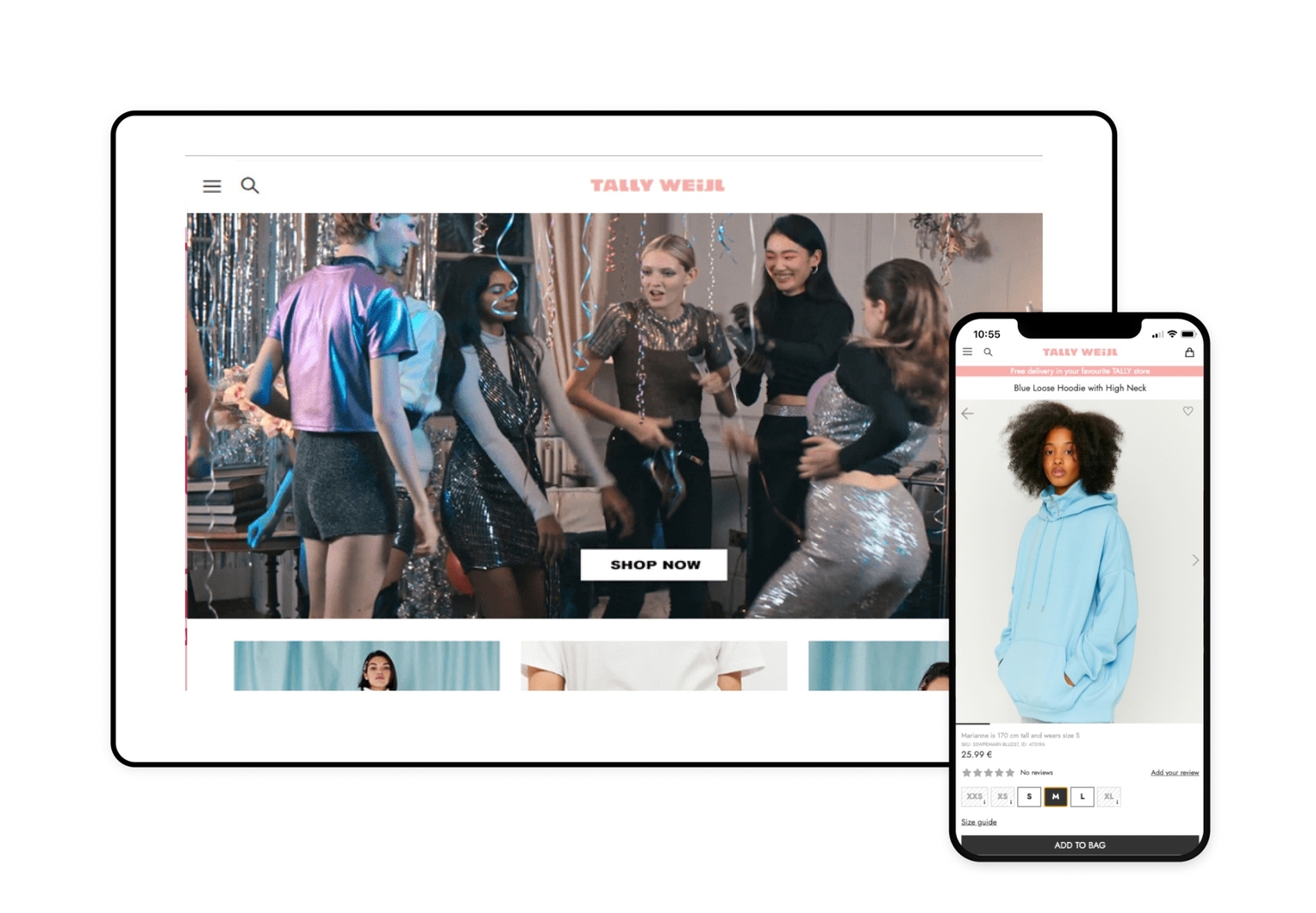
Moving from a to a headless Magento backend + composable PWA frontend bundle helped TALLY WEiJL increase its conversion rate by 140%. The PWA solution focuses on improved performance and a mobile-first approach, allowing the company to keep up with Gen Z market expectations and cut maintenance costs.
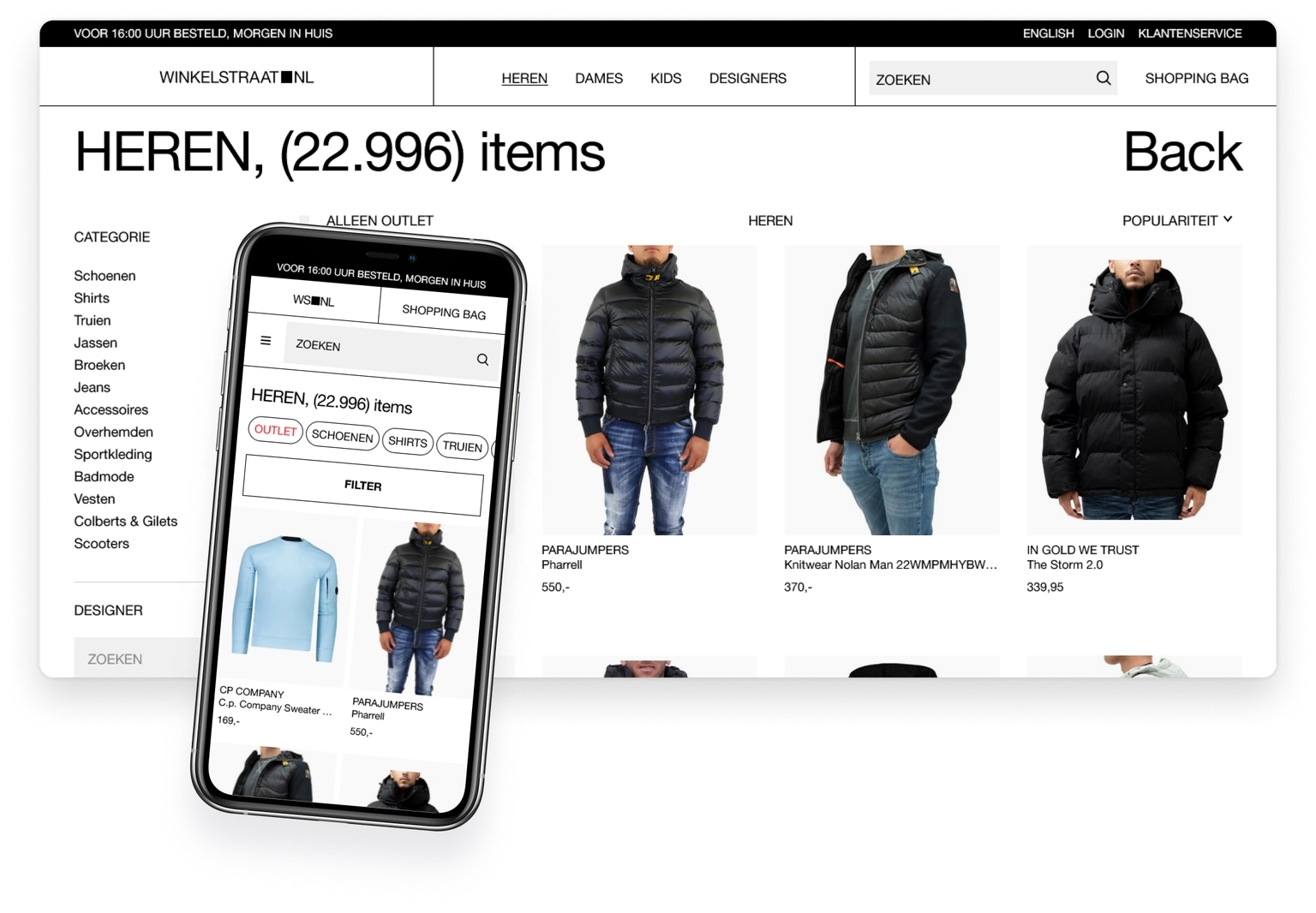
FEaaS is also more cost-effective and less time-consuming. The ready-made modules are fully customizable. This allows a smoother transition to headless on a tight schedule and budget. Winkelstraat.nl only needed a few weeks to get acquainted with built-in modules and some third-party integrations, and a couple of days to design the basics.
Turn to full-scale headless architecture
But if you want your online store to be as customizable as possible, there’s always a fully composable bespoke option. In this case, you build your entire store from independent blocks, choosing the tech vendors you prefer for each function. This approach to commerce architecture enables merchants to build a custom frontend while leveraging Adobe Commerce's best-in-class backend services. CMS, CDN, checkout module, payment and search providers— everything is up to you.
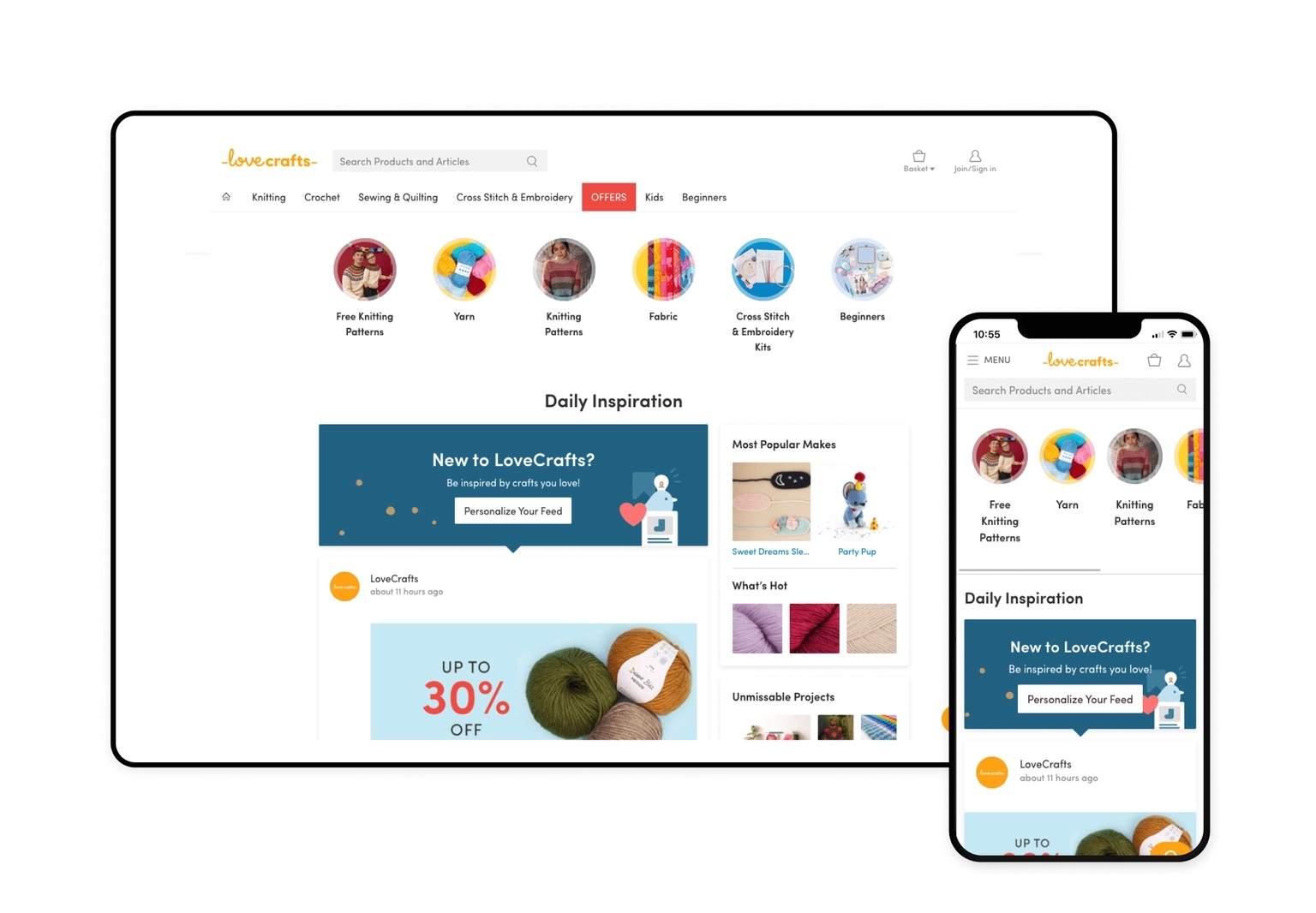
LoveCrafts was introduced to composable commerce before it was cool, so when the time came to migrate from Magento 1, they decided to skip the upgrade to a new version of the same platform. Instead, they used commercetools as a headless commerce platform and combined it with Alokai for the frontend one.
How to prepare for the transition to headless Adobe Commerce
The good news is: keeping your backend logic running on Adobe Commerce is a good way to save money and effort and avoid full re-platforming costs. But there are some things to consider before jumping on a headless Adobe train.
1) Strategy
Depending on your particular situation, you might find one strategy more attractive than another. When making a decision, ask three main questions:
- How many developer resources can you spend on building and future maintenance?
- How much time do you have to implement a new architecture?
- What’s your budget?
If your team can create a system from scratch and maintain a highly customized solution, you can leverage a fully bespoke strategy. This strategy is favored by big ecommerce brands that have very specific requirements for their modules and are not tight on budget and time.
However, with Frontend as a Service, you can jumpstart building a custom frontend. If you want to implement Adobe headless as quickly and efficiently as possible, then FEaaS is your call. Alokai’s PWA solution can fast-track your business to headless and reach new heights in customer experience right away.
2) Developers
Regardless of what strategy you eventually use, you’ll need at least some developers on the team. The backend still needs to be handled — so ensure your team includes full-stack developers to take care of it.
For the frontend, you’re going to need seasoned devs who are familiar with PWA and API orchestration.
Managing a headless commerce system also requires substantial technical resources to handle core backend operations such as product catalogs, inventory management, promotions, pricing rules, and order fulfillment.
3) Third-party integrations
Composable commerce gives you the freedom to choose your tech vendors. But not every third-party software can be integrated into a headless system. Look for tech vendors who offer API-based solutions — or customize a solution of your own.
To ease the mapping of your future system, Alokai provides 30+ out-of-the-box integrations for headless CMS, payment, search and other 3rd party services.
Adobe Commerce's headless architecture also enables faster time-to-market for new features and experiences.
Adobe Experience Suite
The Adobe Experience Suite is a comprehensive collection of tools designed to help businesses create, manage, and optimize personalized customer experiences across every digital touchpoint. This suite brings together Adobe Commerce, Adobe Experience Manager, and additional solutions like Adobe Analytics and Adobe Target, forming a unified platform for digital commerce success.
With the Adobe Experience Suite, businesses gain deep insights into customer behavior, enabling them to craft targeted marketing campaigns and deliver personalized product recommendations. The suite’s advanced tools empower teams to create engaging content, test new ideas, and continuously refine the customer journey. By integrating these capabilities, companies can stay ahead of the competition, respond quickly to changing market demands, and provide a truly unique customer experience that drives loyalty and growth.
Measuring ROI and Success
Tracking the effectiveness of your digital commerce strategy is crucial for ongoing success. Adobe Commerce provides a robust set of tools and features to help businesses measure ROI and optimize their online store’s performance. With built-in analytics, A/B testing, and detailed reporting, you can monitor key metrics such as sales, customer engagement, and conversion rates to understand what’s working and where there’s room for improvement.
These insights enable data-driven decision-making, allowing you to refine your storefront, enhance the customer experience, and ultimately drive more revenue. Adobe Commerce also offers a wealth of resources and support, including implementation playbooks, demo requests, and overview videos, to help you get the most out of your platform. By leveraging these tools and continuously measuring success, your business can adapt to changing customer expectations, maximize growth, and maintain a competitive edge in the digital commerce landscape.
Go headless with Adobe Commerce and Alokai
Add a headless frontend solution to your Adobe-based store, and reap the benefits of decoupled architecture. Download the short whitepaper and learn how it works.